Whether you start the agreement or the learner does, every contract follows the same path — from a draft or an offer through to confirmed, delivered work. This article maps the full lifecycle.
In this article
Two ways an agreement starts
- You send a Training Contract — you create the agreement and send it to the learner.
- A learner sends you an offer — the learner proposes the work and you respond.
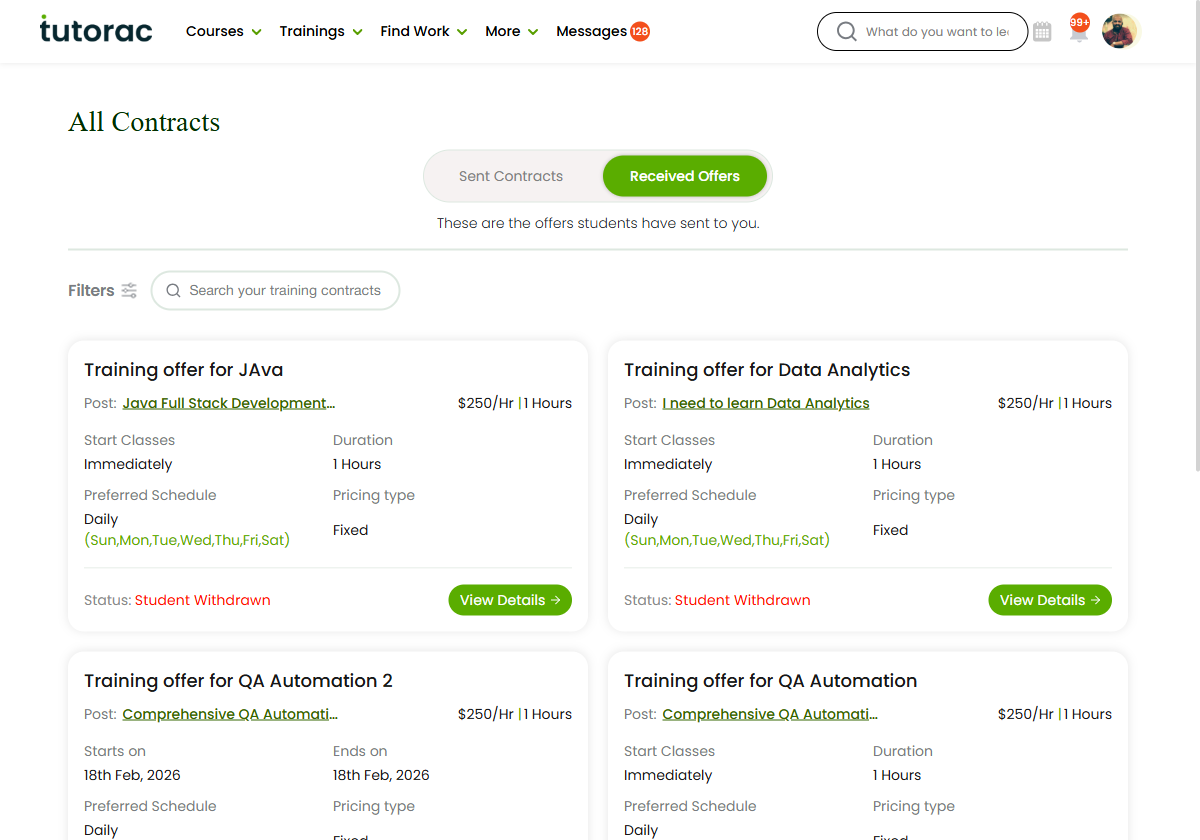
Both routes end the same way: an accepted agreement and confirmed work. You can see both at once in All Contracts & Offers.
The Sent Contract path
A contract you create moves through these stages:
- Draft — created but not finished (Finish Ad completes it).
- Active — live, so the learner can accept and enrol.
- Expired or Cancelled — the enrol-by date passed, or you called it off.
- Completed — the training was delivered. The Enrolled count shows how many learners joined.
The Received Offer path
An offer from a learner moves through these stages:
- Received — the offer arrives on the Received Offers tab.
- Reviewed — you open View Details to check the terms.
- Accepted — it becomes Scheduled and the engagement is Hired; or you mark it You Declined.
- Student Withdrawn — the learner can pull the offer back before you accept.
Once it’s confirmed
However the agreement starts, once it’s accepted the engagement is Hired and you can begin teaching. You then manage delivery — sessions, attendance and payments — from your training batches. See the Demo & Live Sessions and Drive, Resources & Messages sections.
FAQs
Who can start a contract?
Either side. You can send a Training Contract, or a learner can send you an offer.
When is the work confirmed?
As soon as the contract or offer is accepted — the engagement then shows as Hired.
Where do I watch a contract’s progress?
In All Contracts & Offers — the status on each card updates as it moves through the workflow.
Related articles
- All Contracts & Offers: your contracts hub
- Sent Contracts: contracts you’ve sent
- Received Offers: offers learners send you
- Understanding offers and Training Contracts
Last updated: 17 June 2026