A Training Requirement is your learning need posted on Tutorac as a job for verified tutors to bid on. This guide walks through both ways to post one — the quick AI-assisted flow and the detailed manual wizard — and what happens after you click Post Now.
In this article
- What is a Training Requirement?
- Open the Post Training Requirement page
- Two ways to post: AI-assisted or Manual
- Path A: AI-assisted (Get matched now)
- Path B: Manual 5-step wizard
- Review and Post
- What happens after you post
- Tips for a strong Training Requirement
- FAQs
What is a Training Requirement?
A Training Requirement is a structured post that describes what you want to learn, your level, schedule, and budget. Verified tutors see it and send you proposals — tailored offers with scope, milestones, price, and schedule. You compare proposals, talk to tutors, optionally book a free demo, and hire when you’re ready. It’s the standard way to convert a learning goal into a contract on Tutorac.
Open the Post Training Requirement page
Sign in to Tutorac, then click the green Post Training Requirement button in the top navigation. You can also reach it from your Dashboard. Tutorac opens the entry page at tutorac.com/student/job-post/requirement.
Two ways to post: AI-assisted or Manual
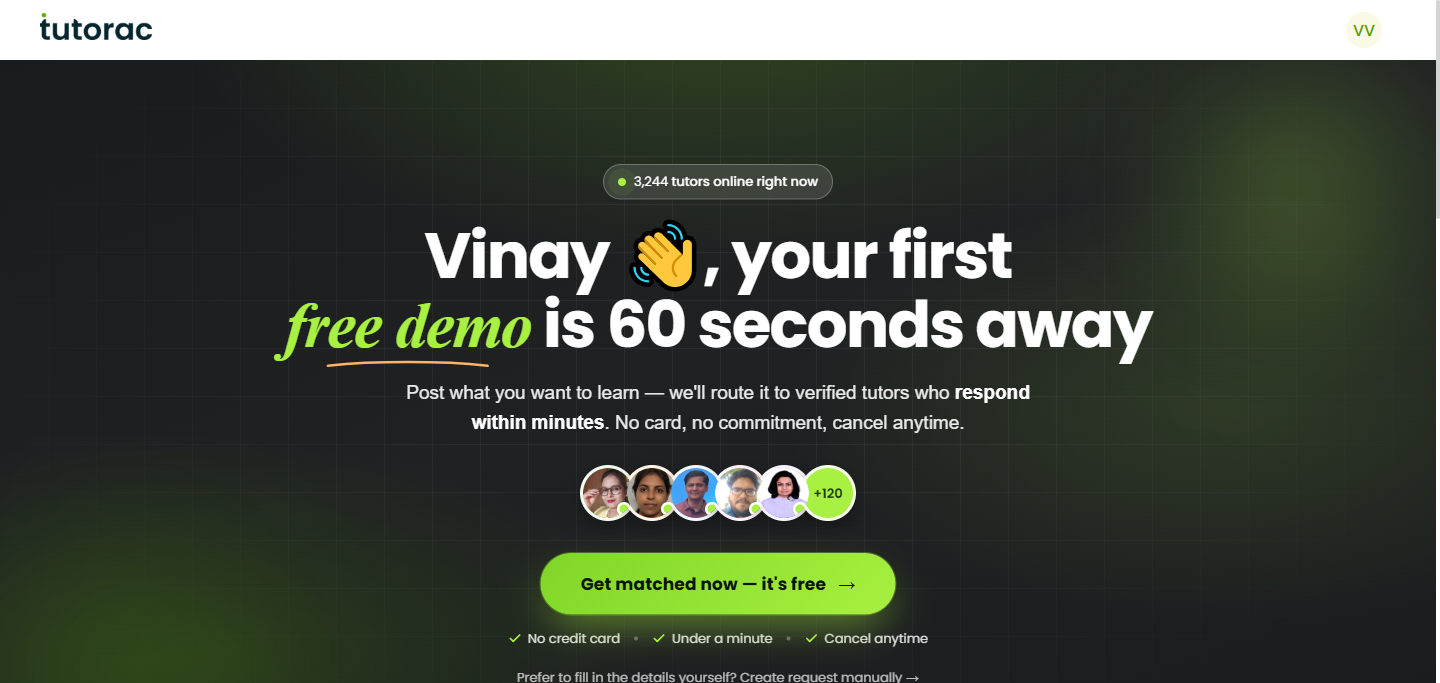
The entry page gives you two starting points:
- Get matched now — The AI-assisted flow. You answer two short questions and Tutorac drafts the full listing for you. Fastest path; you can still edit everything before posting.
- Create request manually — A 5-step wizard that walks you through Title, Skills, Description, Schedule, and Budget. Use this when you have a precise scope in mind or want full control of every field.
Both paths end at the same Review Details & Post page, so the choice is just about speed vs. control.
Path A: AI-assisted (Get matched now)
Step 1: Describe what you want to learn
Click Get matched now. Tutorac asks you to tell us what you want to learn — just a sentence or two. The box accepts up to 150 characters. A good example: “I want to learn Python for data analysis as a beginner.” Click Continue.
Step 2: Set your budget
Pick a billing type, then enter a price range:
- Hourly rate — You pay for each hour the tutor teaches. Best for ongoing training or open-ended learning.
- Fixed price — One agreed amount for the full engagement. Best for a defined scope (for example, a certification prep).
Enter From and To values in rupees. Tutorac shows a recommended range for similar Training Requirements (for example, ₹500 – ₹1000/hr) so you can stay competitive. Click Next.
Step 3: Tutorac drafts the listing
You’ll see “Please hold on, we’re currently preparing your job listing” for a few seconds. Tutorac’s AI uses your sentence and budget to fill in title, description, skills, training level, duration, and timings. Then it drops you on the Review Details & Post page.
Path B: Manual 5-step wizard
Click Create request manually →. Tutorac walks you through five short screens:
- 1/5 Details — Title. A clear, specific title (for example, “Need a tutor for Python programming with real-world projects”). Example titles are shown.
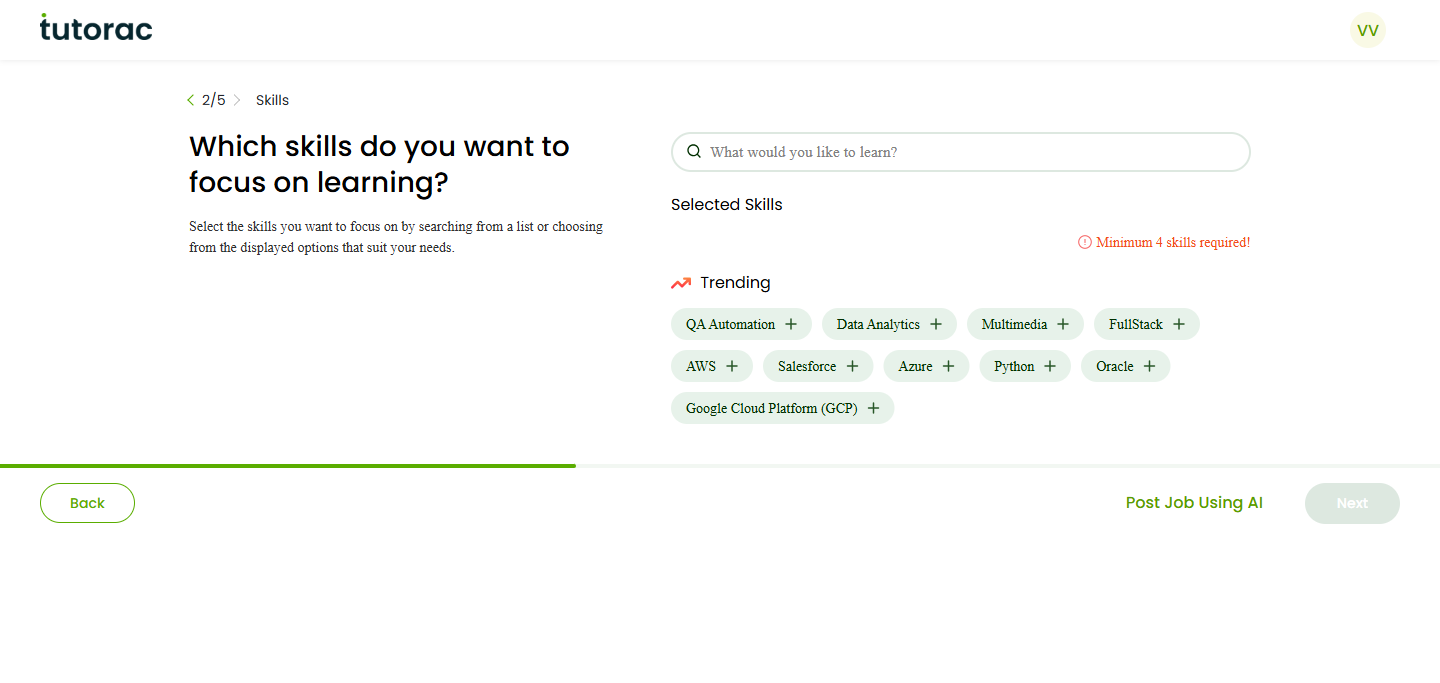
- 2/5 Skills. Pick at least 4 skills for accurate matching. Trending skills are shown as quick-pick chips (Python, AWS, Data Analytics, FullStack, Salesforce, Azure, QA Automation, Oracle, GCP, Multimedia…) and you can search for more.
- 3/5 Description. Write a paragraph or two explaining what you want to learn, why, your level, and any specific outcomes.
- 4/5 Schedule. Set your training level (Beginner / Intermediate / Advanced), start time (Immediately, This week, Next month, etc.), and weekly availability.
- 5/5 Budget. Hourly or Fixed price, with a range.
At any step you can click Post Job Using AI to switch to the AI-assisted path, or Back to revise an earlier step.
Review and Post
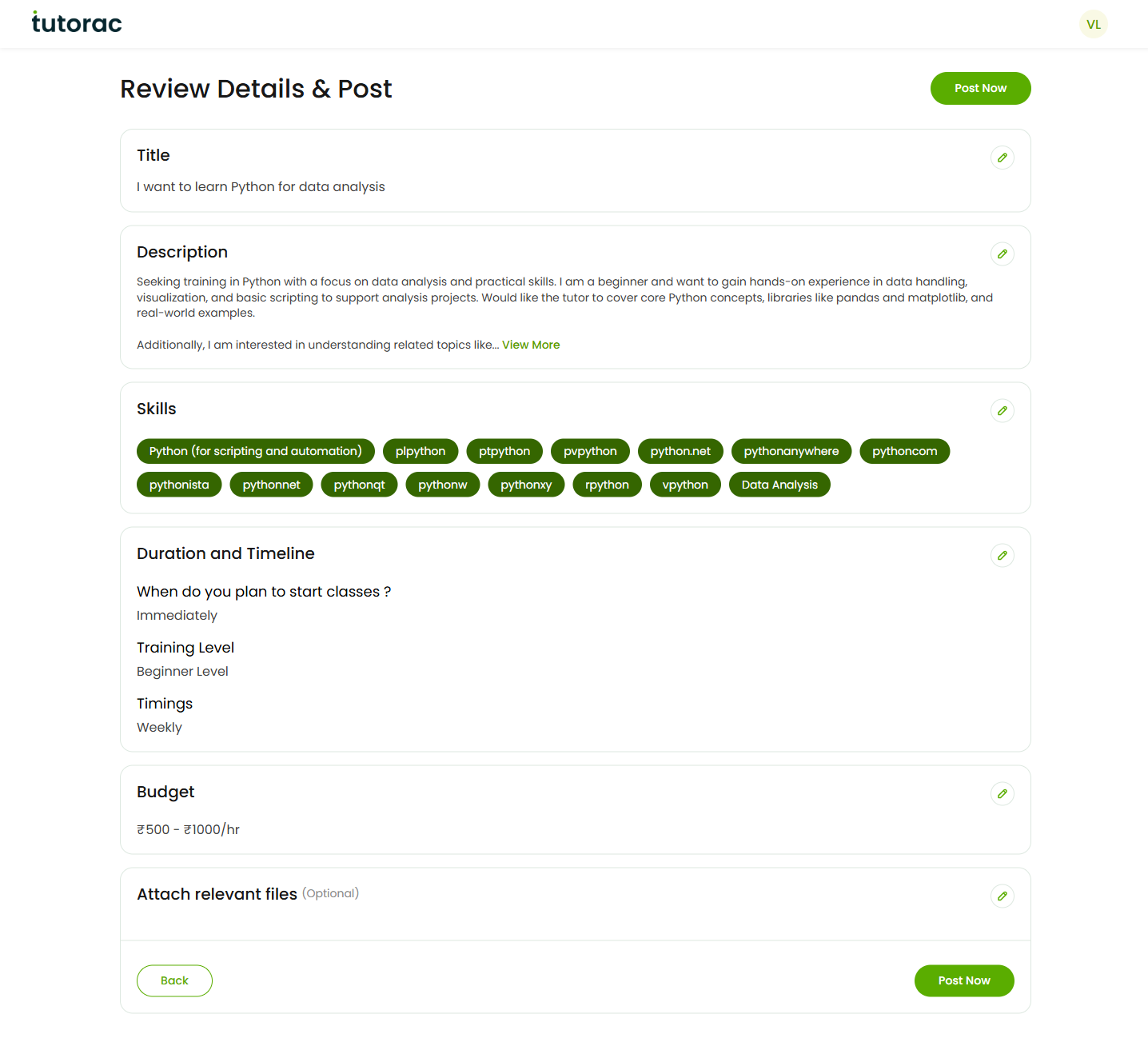
Both paths end at the Review Details & Post page. Here you can see and edit every field before going live:
- Title — the headline tutors see first.
- Description — the full brief.
- Skills — tags Tutorac uses for matching.
- Duration and Timeline — when you plan to start.
- Training Level — Beginner, Intermediate, or Advanced.
- Timings — weekly availability.
- Budget — hourly or fixed, with a range.
- Attach relevant files (optional) — sample data, a syllabus you found online, a brief from your employer, etc.
If the AI-drafted version isn’t quite right, edit any field inline. When everything looks good, click the green Post Now button at the top right.
What happens after you post
- Tutorac matches your Training Requirement with verified tutors who handle those skills.
- Within a few minutes you start receiving proposals — on Tutorac the average first proposal arrives in under 4 minutes, and most learners get 3+ proposals the same day.
- Proposals appear under Trainings > My Trainings (and conversations show up under Messages).
- You can compare proposals side by side, message tutors with questions, book a free demo with shortlisted tutors, and send invites to additional tutors you want to bid on the same Training Requirement.
- When a proposal looks right, click Hire Now to start a Training Contract. Payment is held in escrow until milestones are complete.
- You can edit or close the Training Requirement at any time from My Trainings.
Tips for a strong Training Requirement
- Be specific in the title. “Need a tutor for Python with real-world data analysis projects” beats “Need Python help.”
- State your level honestly. Beginners and advanced learners need very different tutors.
- Name the outcome. Certification, a project you’re building, interview prep, a real dataset at work — whichever applies.
- Pick a realistic budget. Use Tutorac’s recommended range as a baseline. Very low ranges may attract fewer or less experienced tutors.
- Add 4–8 skills, mixing the headline topic (e.g., Python) with related ones (Pandas, NumPy, Data Visualization).
- Attach supporting files if you have a syllabus, sample data, or a job description — better context, better proposals.
FAQs
Is posting a Training Requirement free?
Yes. Posting a Training Requirement, receiving proposals, messaging tutors, and booking free demos are all free. You only pay when you accept a proposal and start a Training Contract.
How many Training Requirements can I have open at once?
You can have multiple Training Requirements open in parallel — for example, one for Python, one for SQL, one for AWS. Each gets its own set of proposals and chat threads.
How quickly will I receive proposals?
Most learners receive their first proposal within a few minutes of posting; on Tutorac the average is around 4 minutes. Most well-written Training Requirements get 3+ proposals the same day.
What if no tutor sends a good proposal?
Two things you can do: edit your Training Requirement to make the scope, level, or budget clearer, and send Invites directly to specific tutors from Find Tutors. (See How to send an Invite to a tutor on Tutorac.) You can also close the Training Requirement and re-post later.
Can I edit or close my post later?
Yes. Go to Trainings > My Trainings (or My Posts) to edit the title, description, skills, schedule, or budget, or to close the Training Requirement when you’ve hired a tutor.
How does the AI flow decide the title, skills, and description?
The AI uses the sentence you typed plus your budget range to draft a structured listing. Everything it produces is editable on the Review page before you click Post Now, so treat it as a starting draft rather than a final version.
Should I pick Hourly or Fixed price?
Hourly works best when the scope is open-ended or ongoing — you pay only for time the tutor teaches. Fixed price works best for a clearly bounded outcome, like clearing a certification, finishing a defined syllabus, or shipping a specific project.
Can tutors see my contact details from the post?
No. Tutors only see the Training Requirement details. All communication happens inside Tutorac messaging until you start a Training Contract, which keeps you protected by Tutorac’s policies and payment protection.
Related articles
- How to find a tutor on Tutorac
- How to send an Invite to a tutor on Tutorac
- How to message a tutor before hiring on Tutorac
- More Training Requirements & Proposals articles
Last updated: 20 May 2026