You just signed up for Tutorac. What now? Here are the first 5 things every new learner should do — in under 30 minutes — to get the most out of the platform.
In this article
- 1. Complete your profile basics
- 2. Add your learning interests
- 3. Explore the Find Tutors marketplace
- 4. Book a free demo session
- 5. Post your first Training Requirement (optional but recommended)
- Bonus: bookmark these pages
- FAQs
1. Complete your profile basics
Open your Profile › Basic Information page. Add:
- Full name (as you want it to appear to tutors).
- Profile photo — a clear, friendly headshot. Tutors respond more often to learners with real photos.
- Time zone and country — so session times shown to you are local.
This takes about 5 minutes. See How to set up your learner profile for the full walkthrough.
2. Add your learning interests
In Profile › Learning Interest, pick the topics you want to learn. Tutorac uses these to:
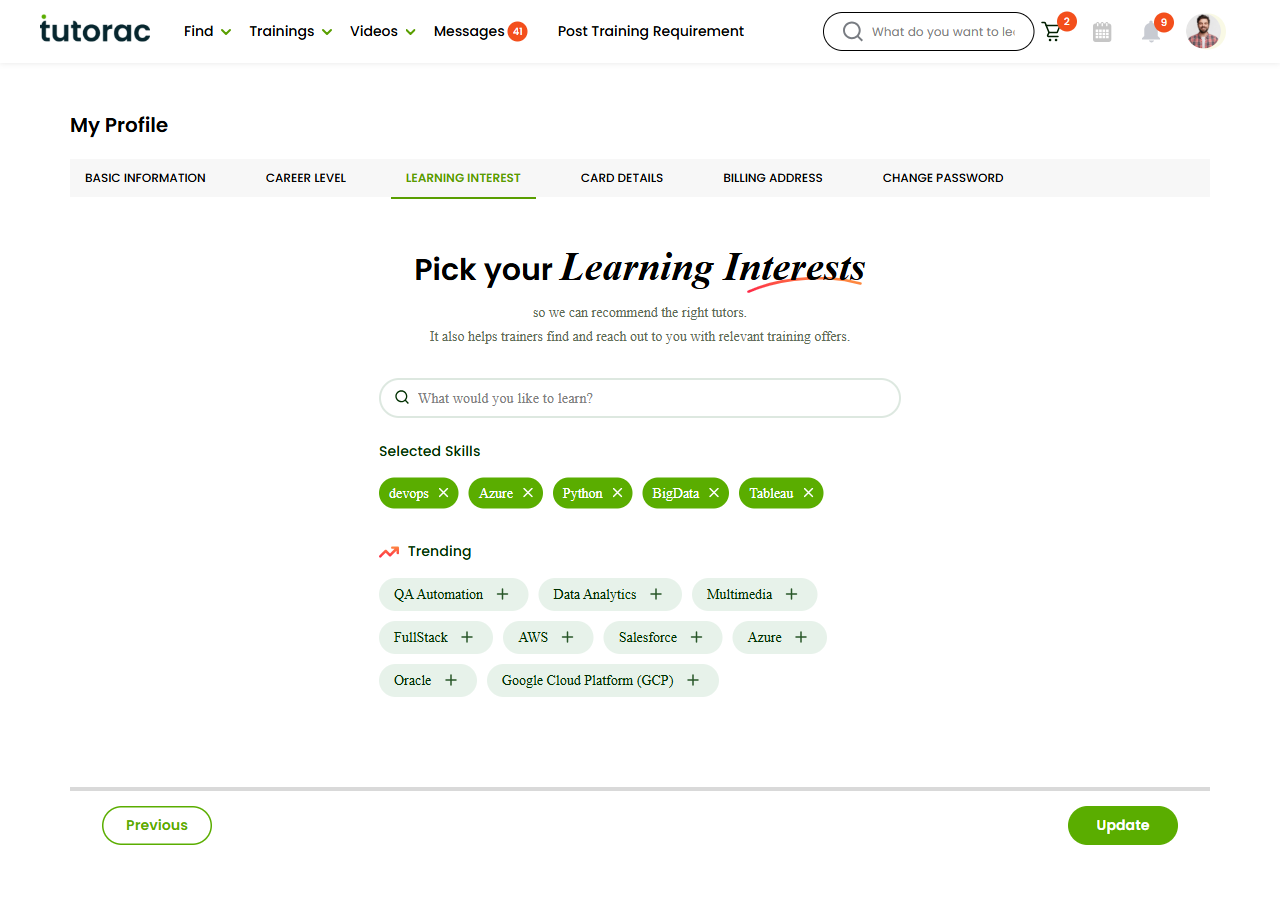
- Recommend relevant tutors and courses.
- Match you with tutors when you post Training Requirements.
- Send you notifications about new courses in your area of interest.
Pick 3–5 specific topics rather than broad categories — “React.js” works better than just “Web Development”.
3. Explore the Find Tutors marketplace
Open Find Tutors. Browse a few profiles to get a feel for:
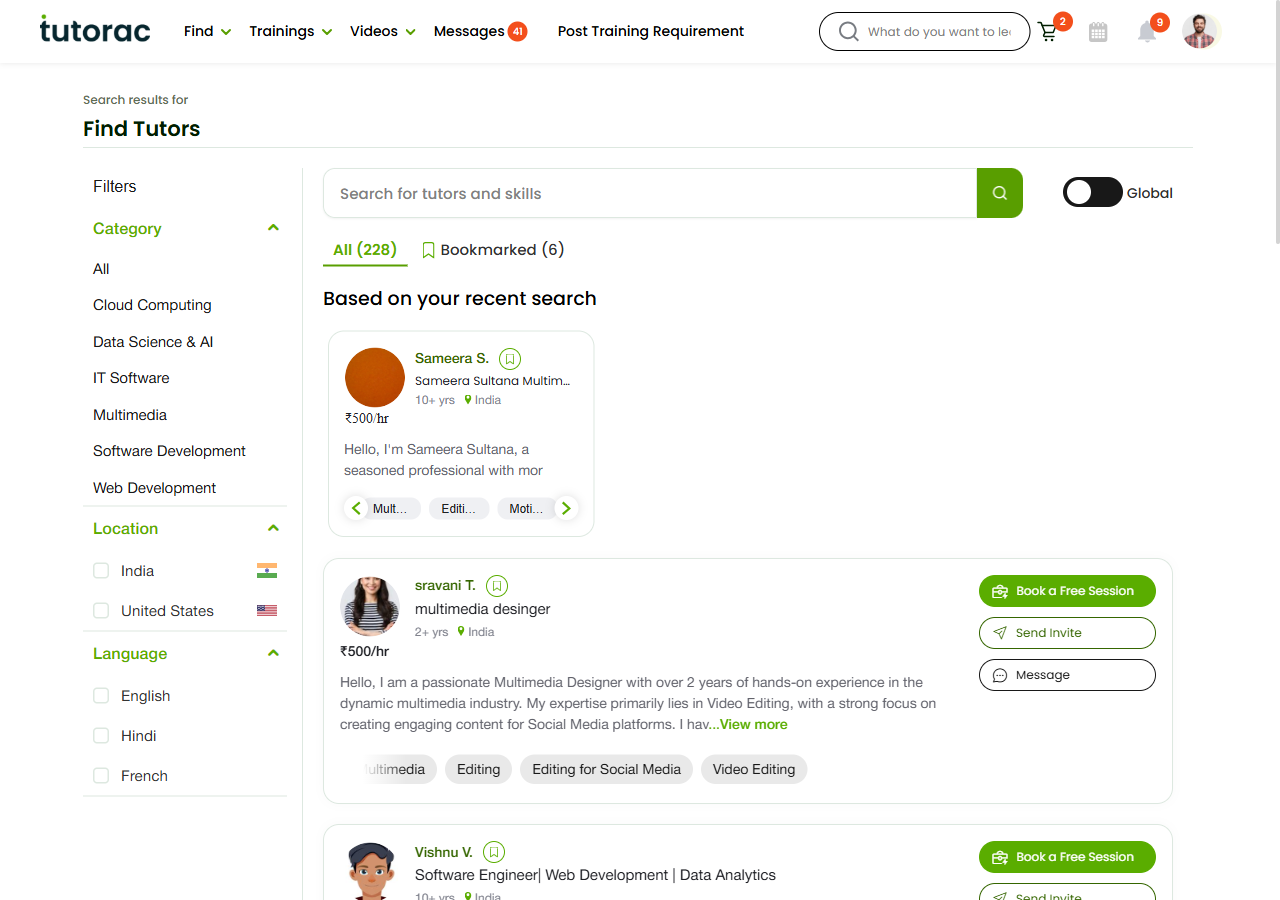
- Available categories and locations.
- How experienced tutors describe themselves.
- Pricing across different specialisations.
- The kinds of headlines and reviews you find compelling.
Even if you’re not ready to hire, this calibrates your expectations.
4. Book a free demo session
Pick one tutor you’re interested in and book a free 30-minute demo session. Click Book a Free Session on any tutor card — no credit card needed.
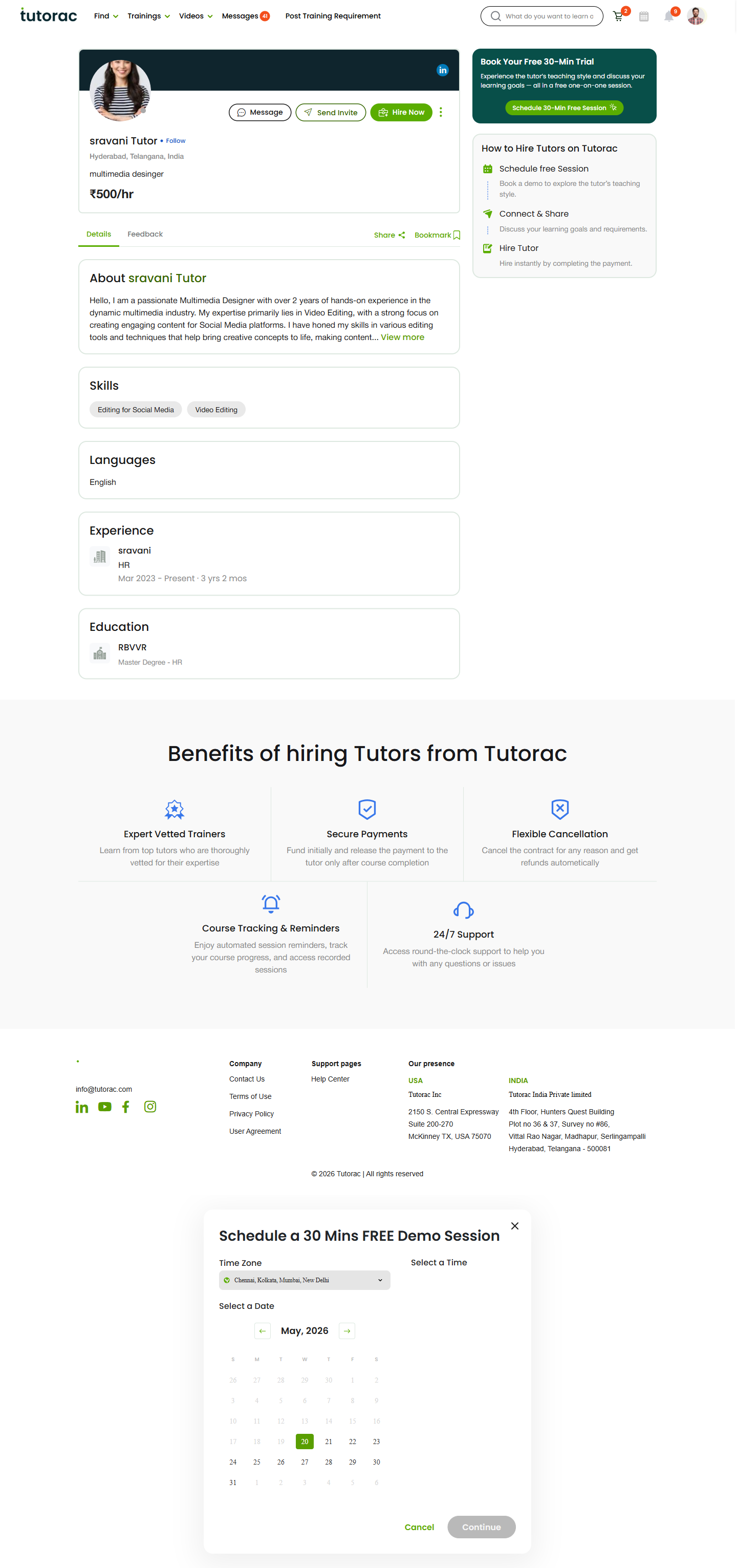
This is the single best way to discover whether Tutorac (and live tutoring in general) fits your learning style. See How to book a Free Demo.
5. Post your first Training Requirement (optional but recommended)
If you have a clear learning goal, post a Training Requirement. It’s free, takes about 3–5 minutes, and tutors will start sending proposals — sometimes within an hour. Use the green Post Training Requirement button in the top nav.
Two paths:
- AI-assisted — type a one-line description plus your budget; Tutorac drafts the full requirement for you.
- Manual 5-step wizard — title, skills, description, schedule, budget. Best when you want full control.
See How to post a Training Requirement.
Bonus: bookmark these pages
- Dashboard —
tutorac.com/student/dashboard - My Training Posts —
tutorac.com/student/job-post - Messages —
tutorac.com/messages/profile - Find Tutors —
tutorac.com/find-tutors - Profile —
tutorac.com/student/profile/personal-info
FAQs
Do I have to post a Training Requirement to use Tutorac?
No. You can also enrol in Live Courses or hire tutors directly from Find Tutors. Posting a requirement is best when your goal is specific and you want tutors to compete for it.
How many demos can I book?
As many as you need. Each tutor offers a free 30-minute demo. Booking 2–3 demos before hiring is normal and recommended.
When should I add my payment method?
Only when you’re about to hire a tutor and start a contract. Tutorac doesn’t charge for browsing, demos, posting requirements, or receiving proposals.
What if I’m not sure what I want to learn?
Browse Live Courses for inspiration, or book demos with tutors in adjacent fields. A 30-minute conversation often clarifies your goal faster than research alone.
How long should I wait for proposals after posting a requirement?
Usually within a few hours for in-demand topics. Within 24 hours for most others. If you have nothing after 48 hours, your requirement may be too narrow — edit it to broaden scope or budget.
Related articles
- What is Tutorac? A learner’s overview
- A tour of the Tutorac learner dashboard
- How to set up your learner profile on Tutorac
- How to find a tutor on Tutorac
Last updated: 27 May 2026