Once you’ve earned on Tutorac, here’s how that money reaches you and what to check so payouts go smoothly.
In this article
How you get paid
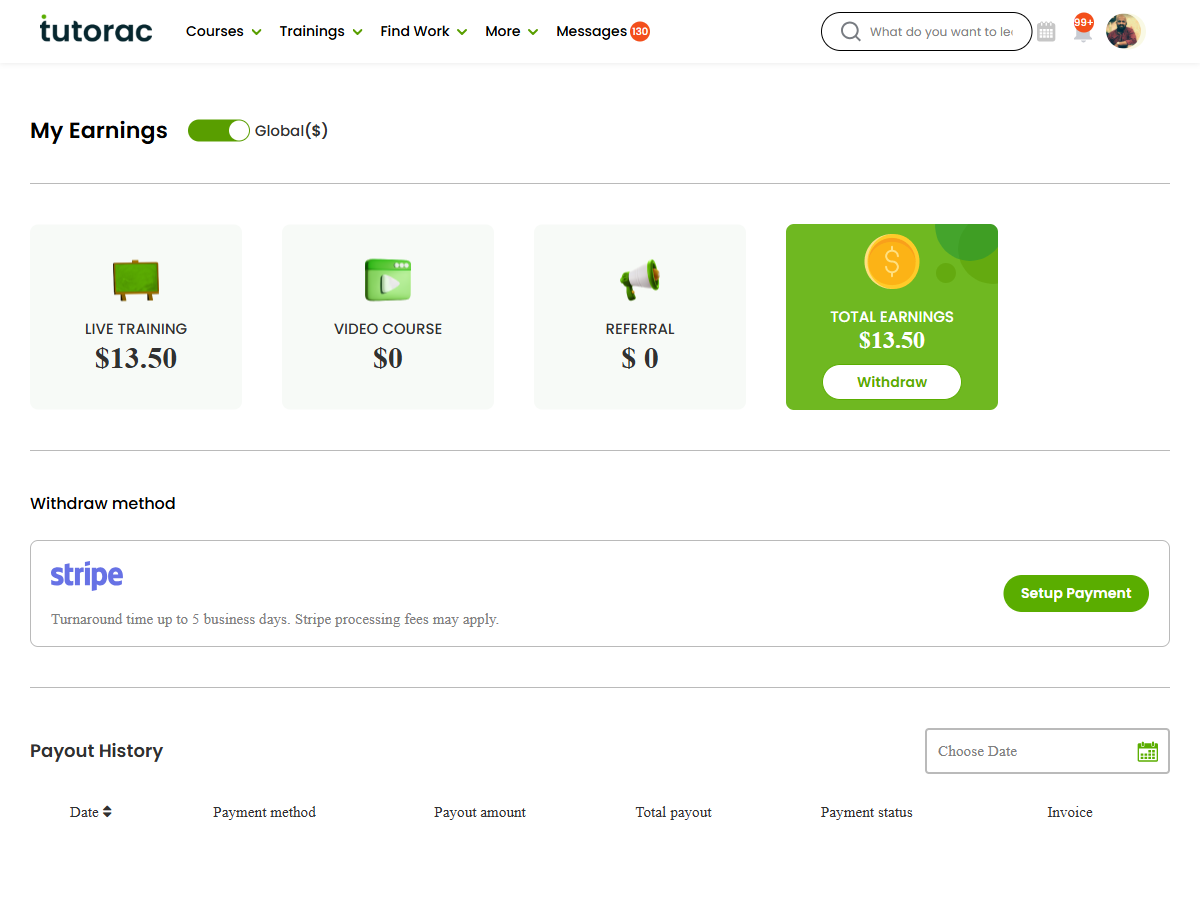
Your earnings are paid out to the payout details saved in your Bank Details tab. You can review what you’ve earned at any time under My Earnings.
Live training earnings
Earnings from live training come from the engagements you deliver and the terms agreed in each offer or Training Contract. See the Offers & Contracts and Pricing & Discounts sections for how those terms are set.
Video course royalties
Video courses earn monthly royalties based on the minutes learners watch. The more your content is watched, the more you earn. See the Video Courses section for details.
Make sure you’re payout-ready
- Complete and verify your profile.
- Add accurate payout details in Bank Details.
- Keep those details up to date.
The exact payout options and timing shown in your account are the ones that apply to you. If anything is unclear, contact support@tutorac.com.
FAQs
Where does my money go?
To the payout details in your Bank Details tab.
How are video course earnings calculated?
As monthly royalties based on the minutes learners watch.
Where do I see what I’ve earned?
Under My Earnings. See “Tracking your earnings.”
Related articles
- Tracking your earnings (My Earnings)
- Setting up payouts: your Bank Details
- Your earnings balance and the Tutorac Wallet
Last updated: 8 June 2026