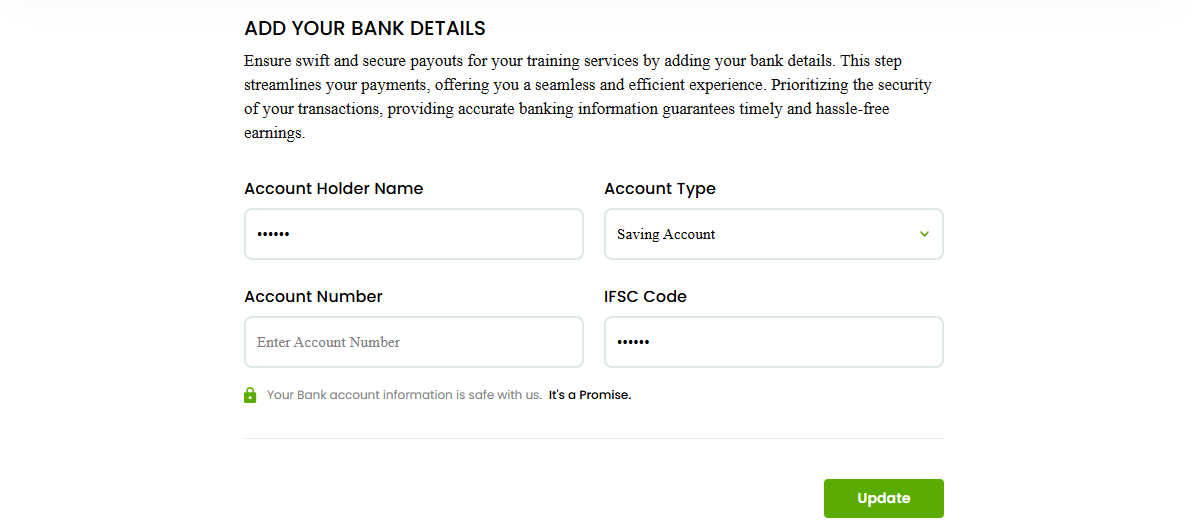
Before you can be paid, Tutorac needs your payout details. These live in the Bank Details tab of your profile.
In this article
Where Bank Details lives
Go to My Profile and open the Bank Details tab. This is where your payout information is stored.
Why it matters
Your earnings are paid out using the details you save here. Without complete, correct payout details, payouts can’t reach you.
Keep it accurate
- Make sure your details are complete and match your records.
- Update them promptly if anything changes.
- Double-check for typos before saving.
FAQs
Where do I add my payout details?
In the Bank Details tab under My Profile.
What happens if my details are wrong?
Payouts may be delayed or fail. Keep your details accurate and up to date.
Can I update them later?
Yes — return to the Bank Details tab any time to update them.
Related articles
- Tracking your earnings (My Earnings)
- How and when you get paid
- Your earnings balance and the Tutorac Wallet
Last updated: 8 June 2026