A milestone payment can fail for many reasons — most have nothing to do with Tutorac itself. This guide walks through the common decline reasons, how to fix each, what happens with refunds, and when to contact Support — whether you’re paying in ₹ (India) or $ (any other country).
In this article
- Common reasons a payment fails
- Quick fixes to try
- 3D Secure / OTP issues
- Cross-border / non-local-currency cards
- How refunds work
- Refund timeline
- When to contact Tutorac Support
- FAQs
Common reasons a payment fails
- Insufficient funds — not enough balance / available credit on the card.
- Card expired — old card still saved in your profile.
- Bank declined — issuer flagged the transaction as risky (e.g., first cross-border charge).
- 3D Secure (3DS) failed — OTP or in-app approval not completed, wrong code, or session timed out.
- AVS mismatch — billing address on Tutorac doesn’t match the address on file with your card issuer.
- Daily / per-transaction limit hit — some banks cap online or international spend.
- International / online transactions disabled — many cards (India debit cards in particular) have these off by default.
- Currency block — some cards are restricted to local-currency only and will reject a $ charge if you’re on a non-India Tutorac account, or vice versa.
- Network glitch — intermittent issue; retry usually works.
Quick fixes to try
- Retry once — many declines are transient.
- Try a different card — add it via Profile → Card Details and pay with it.
- Check your billing address — make sure it matches your card’s registered address.
- Enable international / cross-border payments — in your bank’s app, turn on online and international usage for the card. Especially relevant for India-issued cards being charged in $, or non-India cards being charged in ₹.
- Raise transaction / daily limits — same place in your bank’s app.
- Call your bank — if they explicitly declined, only they can clear it.
3D Secure / OTP issues
Most online card payments require 3D Secure (OTP code or in-app approval). This is enforced by the card networks worldwide — India has stricter RBI-mandated rules, but Visa Secure / Mastercard Identity Check apply in most countries. Common pitfalls:
- OTP not delivered — phone signal issue or wrong number on file with your bank. Update with your bank, then retry.
- OTP entered too late — the session timed out. Start the payment again.
- OTP wrong — double-check the number from your latest SMS, not an old one.
- App-based approval — some banks ask you to approve in their app instead of OTP; check the app for a pending request.
- 3DS challenge skipped — some US cards rarely show OTP for low-value charges, but still get declined invisibly by the issuer; call the bank to whitelist Tutorac.
Cross-border / non-local-currency cards
Tutorac bills in your account’s currency — ₹ for India accounts, $ for all other accounts. If your card is issued in a different country / currency:
- The card must allow cross-border / international transactions. Many India-issued debit cards have this disabled by default — enable it via your bank’s app or call them.
- Your bank will convert at its own FX rate when posting the charge. You may see a small foreign-exchange or markup fee on the statement.
- If the charge currency is blocked by your bank’s card profile (e.g., a domestic-only debit card), the charge will be declined — use a credit card or a debit card with cross-border enabled.
- A $ Tutorac charge on a non-USD card is normal and not a sign of fraud — it’s how the global account is billed.
How refunds work
Refunds come back to the original payment method, in the same currency as the charge — never to a different card or to a wallet. The refunded amount depends on why the refund is happening:
- Failed transaction — if the bank charged you but the payment didn’t go through on Tutorac, the bank usually auto-reverses within a few days. No action needed on Tutorac’s side.
- Cancelled milestone — refund is calculated per the Cancellation by Learner / by Tutor rules in the User Agreement (based on % of the milestone completed).
- Released payment — once released, the milestone is final and is not part of the standard refund flow.
If your original payment was in $ and your card is in another currency, the bank may use a different FX rate for the refund than the original charge — meaning the refund amount in your local currency might be slightly different from what you originally paid. This is normal bank behaviour, not a Tutorac shortfall.
Refund timeline
- Tutorac side — initiates the refund within 1–2 business days of approval.
- Bank side — typically 5–10 business days for the credit to show on your statement (varies by issuer).
- International cards — sometimes longer due to cross-border processing.
If 10 business days have passed and you don’t see the credit, share the refund reference (from Tutorac) with your bank — they can trace it on their end.
When to contact Tutorac Support
- You were charged but the milestone shows unpaid for more than 24 hours.
- A refund hasn’t arrived after 10 business days.
- You see a payment on your card statement you don’t recognise.
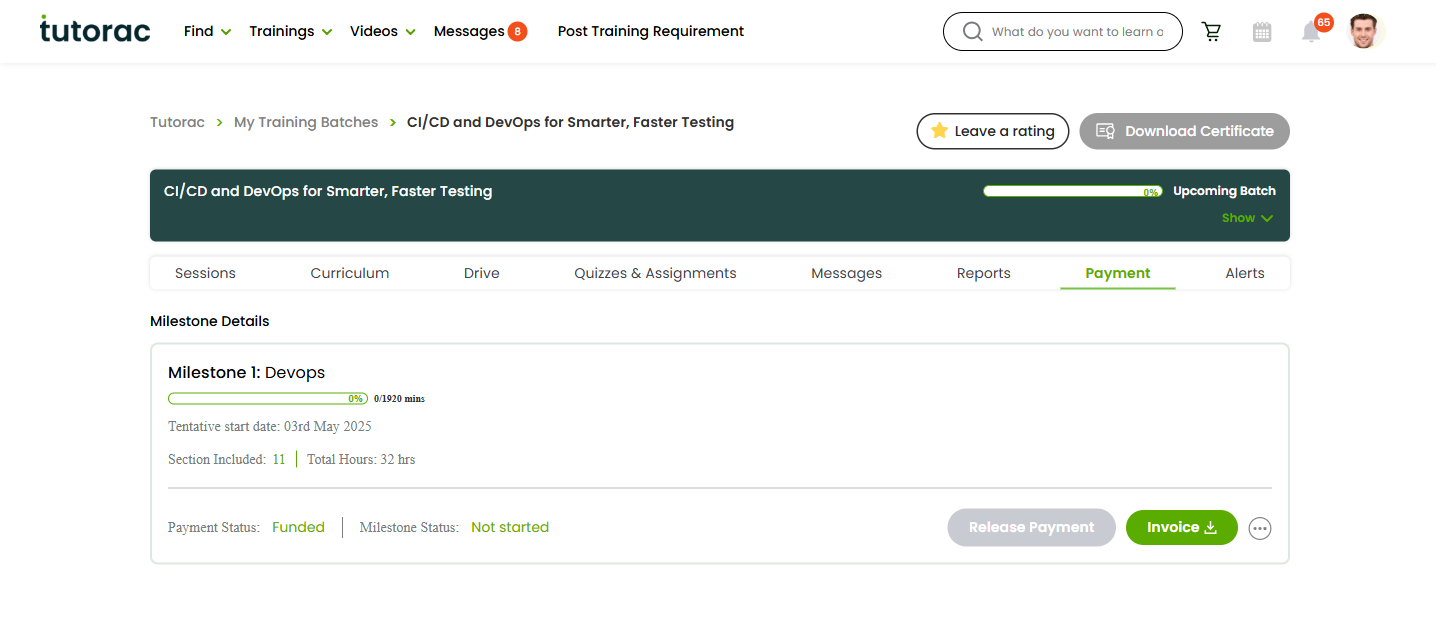
- The Release Payment button doesn’t work after multiple tries.
- Any other payment-related dispute.
When contacting Support, include: batch name, milestone number, transaction date / amount + currency (₹ or $), the last 4 digits of the card, and any error message you saw.
FAQs
My bank shows the money was debited but Tutorac says payment failed. What happened?
Bank temporarily held the amount but the authorisation didn’t complete on Tutorac’s side. The hold drops off automatically within a few days — no separate refund needed. If it doesn’t, contact your bank with the transaction reference.
Can I get a refund to a different card or method?
No. Refunds always go to the original payment method, in the original currency. If that card is no longer active (lost, expired, closed account), contact your bank — they usually still route the refund to your linked bank account.
Why is Tutorac trying to charge me in $ when I’m paying with an INR card (or vice versa)?
The charge currency is determined by the country on your Tutorac account, not by the card’s currency. India accounts are charged in ₹; all other countries in $. Your bank handles the FX automatically.
Can I dispute a payment with my bank instead of Tutorac?
Try Tutorac Support first — chargebacks are slower, can have fees, and may freeze your Tutorac account while under review. Most issues are resolved faster on-platform.
Will a failed payment cancel my contract?
No, a failed payment doesn’t cancel anything. The milestone stays pending — just retry payment with the same or a different card.
What if my tutor cancels a milestone after I’ve paid?
Tutorac applies the “Cancellation by Tutor” refund rules in the same currency you paid — typically you get back most or all of the milestone amount depending on how much was already taught. See the Tutorac User Agreement for the exact split.
Related articles
- How to add or remove a payment card on Tutorac
- How payments work on Tutorac: milestones, escrow, and releasing funds
- Where to find invoices, receipts, and payment history
Last updated: 28 May 2026