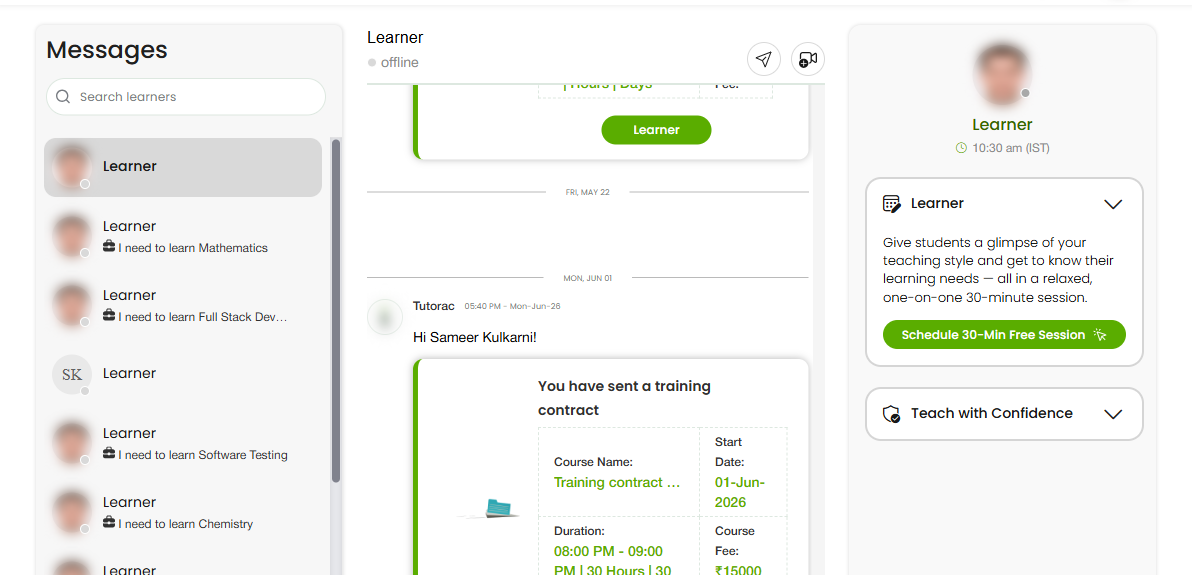
Messaging keeps you connected with learners before, during, and after training. This overview explains where messages live and the two ways they work.
In this article
Where to find Messages
Messages is in the top navigation of your tutor account. Open it to see your conversations with learners.
Two kinds of messages
- Global Messages — your general conversations, not tied to a single class.
- Class Messages — conversations connected to a specific class or batch you’re running.
See “Global Messages vs Class Messages” for how each is used.
Staying responsive
Prompt, clear replies help you win and keep learners. Check Messages regularly, especially when you have active proposals, demos, or classes.
FAQs
Where are my messages?
Under Messages in the top navigation.
What’s the difference between Global and Class Messages?
Global Messages are general; Class Messages are tied to a specific class or batch. See the next article.
Why does responsiveness matter?
Quick replies build trust and help convert enquiries and demos into students.
Related articles
- Global Messages vs Class Messages
- Drive access and your resource library
- Sharing teaching materials with learners
Last updated: 8 June 2026