Beyond your skills, two profile sections tell learners who you are and why to choose you: Basic Information and Professional Details. This article explains what goes in each.
In this article
Basic Information
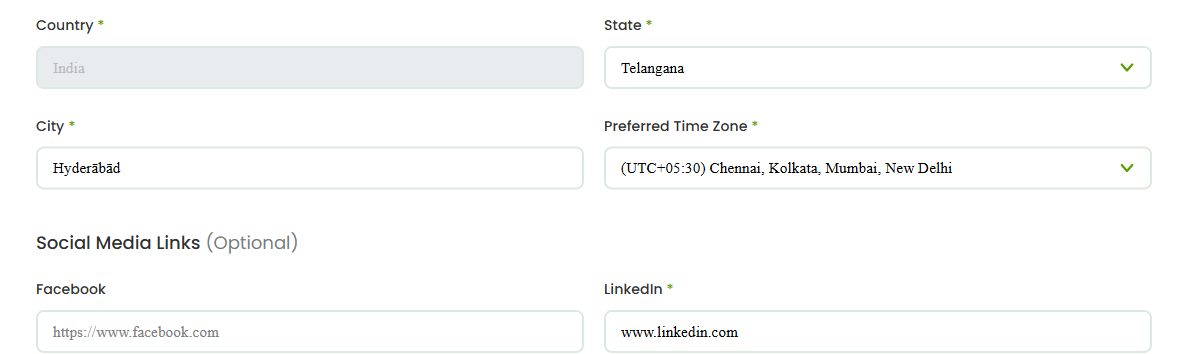
Open My Profile and go to the Basic Information section. This is where you set the details learners see first, including your location, your social links, and your preferred time zone. Your time zone matters because it affects how session times are shown and scheduled with learners.
Professional Details
In the Professional Details section, add the background that builds credibility:
- Tutoring experience — your relevant teaching or professional experience.
- Education information — your academic background.
- Additional certificates — any certifications that support your expertise.
- Organisation details — organisation information where relevant.
These details appear on your public profile and help learners decide that you’re the right tutor for them.
Saving each section
Fill in each section and save it. As you complete these details, your Profile Completion percentage rises and the matching items drop off your completion checklist.
Tips for a strong profile
- Be specific about your experience and the outcomes you help learners achieve.
- Keep your time zone accurate so scheduling works smoothly.
- Use See Public View to check how everything reads to a learner.
FAQs
Which details are most important?
Your tutoring experience, education, and a clear, accurate basic profile carry the most weight with learners. Complete these early.
Can I edit these later?
Yes. You can update Basic Information and Professional Details whenever your experience or details change.
Where do bank details go?
Bank details have their own section, covered in the next article on reaching 100% completion and getting verified.
Related articles
- Choosing your teaching categories and skills
- Reaching 100% profile completion and getting verified
- Setting up your tutor profile: an overview
Last updated: 8 June 2026