Your account settings are where you manage how you sign in, stay secure, and control your tutor account day to day. This overview shows where everything lives.
In this article
The profile menu
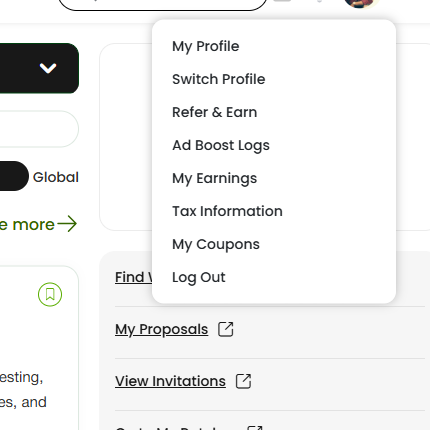
Open the profile menu in the top-right of any page. From here you can reach My Profile, My Earnings, Tax Information, My Coupons, Ad Boost Logs, Refer & Earn, and Log Out. This menu is your hub for account and earnings tools.
Account details in your profile
Your personal and account details live in My Profile, organised into sections including Basic Information, Professional Details, Bank Details, and Change Password. Update any of these and save.
Password and security
Use the Change Password section of your profile to update your password. Choose a strong, unique password and keep your login details private. See the dedicated article on password and security for more.
Notifications
The notifications area keeps you up to date on activity that needs your attention — such as proposals, invitations, and messages. Check it regularly so you don’t miss time-sensitive opportunities.
FAQs
Where do I change my account details?
In My Profile, using the relevant section (Basic Information, Professional Details, Bank Details, or Change Password).
Where are my earnings and tax details?
Under My Earnings and Tax Information in the profile menu. See the Earnings & Payouts and Taxes sections for details.
How do I sign out?
Choose Log Out from the profile menu.
Related articles
- Changing your password and keeping your account secure
- Logging in, logging out, and managing notifications
- Closing your tutor account
Last updated: 8 June 2026