A secure account protects your earnings, your learners, and your reputation. This article shows how to change your password and keep your tutor account safe.
In this article
Changing your password
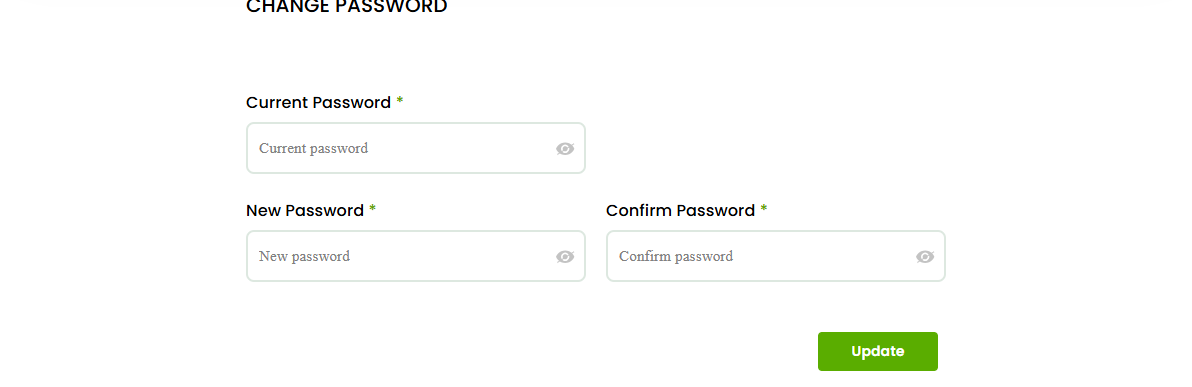
Open My Profile and go to the Change Password section. Enter your new password and save. Change it straight away if you ever think someone else may know it.
Choosing a strong password
- Use a long password with a mix of letters, numbers, and symbols.
- Don’t reuse a password from another site.
- Avoid names, birthdays, or anything easy to guess.
Good security habits
- Keep your login details private — Tutorac will never ask for your password by email or message.
- Log out on shared or public devices.
- Keep payments and conversations on the platform.
- Be cautious of links or requests that ask you to sign in elsewhere.
If you can’t sign in
Use the password-reset option on the sign-in page to set a new password. If you still can’t access your account, or you think it’s been compromised, contact support@tutorac.com right away.
FAQs
Where do I change my password?
In the Change Password section of My Profile.
Will Tutorac ever ask for my password?
No. Never share your password with anyone, including people claiming to be from Tutorac.
I think my account was accessed by someone else — what should I do?
Change your password immediately and contact support@tutorac.com.
Related articles
- Managing your tutor account: settings overview
- Logging in, logging out, and managing notifications
- Closing your tutor account
Last updated: 8 June 2026