When you set up a demo, you can start it immediately or schedule it for later. This article explains the difference and when to use each.
In this article
Instant demos
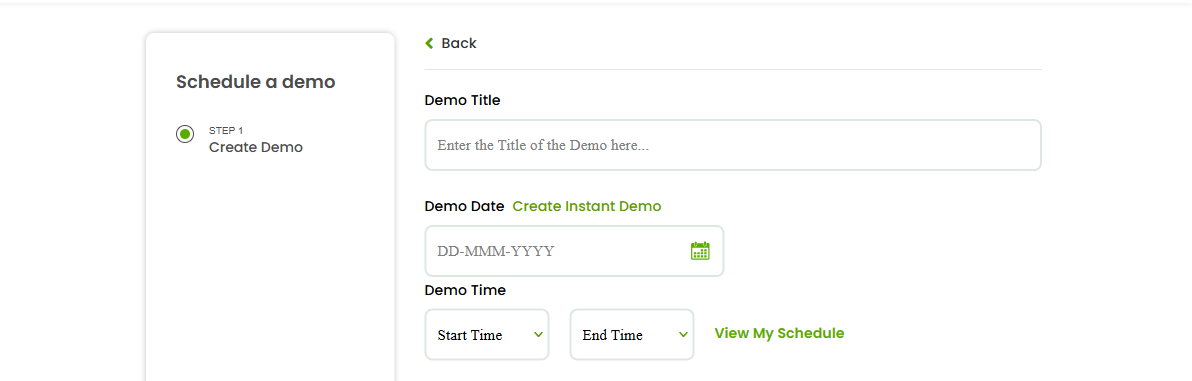
An instant demo starts right away. On the demo form, use Create Instant Demo when a learner is ready now and you want to begin without setting a future date and time. It’s ideal for spur-of-the-moment interest — someone messages you, and you can demo on the spot.
Scheduled demos
A scheduled demo is booked for a future time. You set a Demo Date, Start Time, and End Time, and invite your learners. This gives everyone time to prepare and is best when you’re planning ahead or coordinating with someone’s availability.
Which to choose
- Choose instant when a learner is available and keen right now.
- Choose scheduled when you’re planning ahead or need to fit a learner’s calendar.
FAQs
Do I still invite learners for an instant demo?
Yes — you still select or invite the learners you want to join.
Can I schedule a demo for a specific date and time?
Yes. Set the Demo Date, Start Time, and End Time on the demo form.
Where do scheduled demos appear?
Under View My Schedule and your Calendar.
Related articles
Last updated: 8 June 2026