Tutorac Video Courses are a library of pre-recorded IT and tech courses you can watch on demand. A subscription unlocks unlimited access to every video course in the library, so you can learn at your own pace without buying courses one by one.
In this article
Where to find Video Courses
Sign in to Tutorac. In the top navigation, hover over Videos and choose Home. This opens the Video Courses landing page where you can browse the full catalogue.
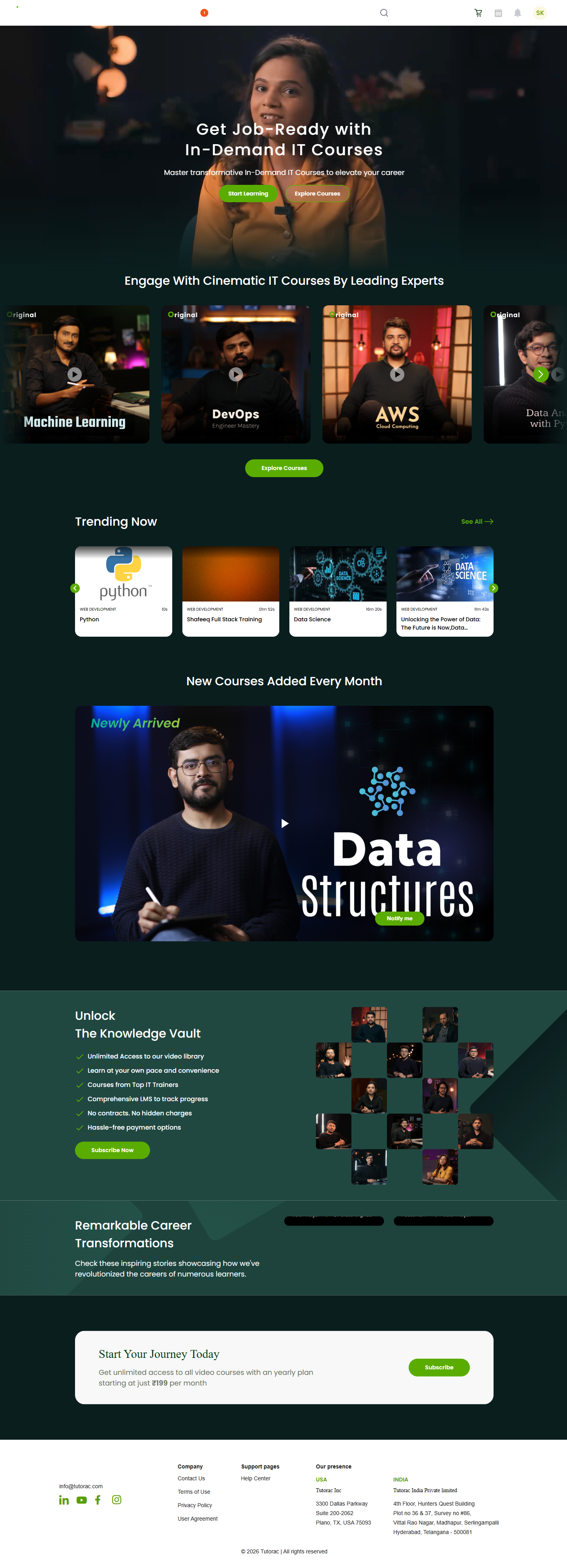
Use the Videos menu’s All Courses link or the category tiles on the landing page to drill into a specific area such as Cloud Computing, Data Science & AI, IT Software, Multimedia, Software Development, or Web Development.
Start a subscription
Open any video course you’re interested in. On the course detail page you’ll see a green Start Subscription button below the course title, alongside Add to cart and Buy now for single-course purchase.
Click Start Subscription to open the subscription plans page. You’ll see plan options with their prices and renewal periods (for example, monthly and yearly).
Tip: pricing and the available plans depend on your account region. Sign in first so the plans page shows the correct currency and rates for you.
Complete payment
Pick the plan that suits you and follow the on-screen prompts to enter your card details and confirm the payment. Once the payment is successful:
- Your account is upgraded to an active subscription immediately.
- You get unlimited access to the entire Video Courses library for the duration of the plan.
- An invoice is generated and added to your Invoices page.
Manage your subscription
After you subscribe, you can manage your plan from the profile menu in the top right. The new options that appear are:
- My Subscription — see your active plan, renewal date, and saved card.
- Buy Subscription — opens the plans page if you ever need to change plans.
- My Profile → Invoices — download past invoices for every renewal.
FAQs
Do I need to subscribe to watch video courses?
No. You can also buy individual courses one at a time with Add to cart or Buy now. A subscription is the better choice if you plan to watch more than two or three courses, because it gives you unlimited access to the whole library.
Can I switch between monthly and yearly plans?
Yes. Open the profile menu, click Buy Subscription, and choose the plan you want. The new plan takes over from your current billing cycle.
What happens if my payment fails on renewal?
Tutorac will retry the payment and email you. If renewal still fails, your subscription will end at the end of your current paid period and your access will be paused until you update your card and subscribe again.
Will I be billed automatically?
Yes. Subscriptions renew automatically using the card you saved at checkout. You can update the card from My Subscription at any time.
Can I get a refund on a subscription?
Subscription payments are generally non-refundable once a billing period has started. If you believe you were charged in error, email support@tutorac.com and the team will look into it.
Related articles
Last updated: 29 May 2026