You’ve created your tutor account — now what? This article lays out the first things to do so you can move from signed-up to ready-to-teach as quickly as possible.
In this article
- 1. Complete your profile
- 2. Complete verification
- 3. Set your pricing
- 4. Create your first offering
- 5. Set up payouts
- FAQs
1. Complete your profile
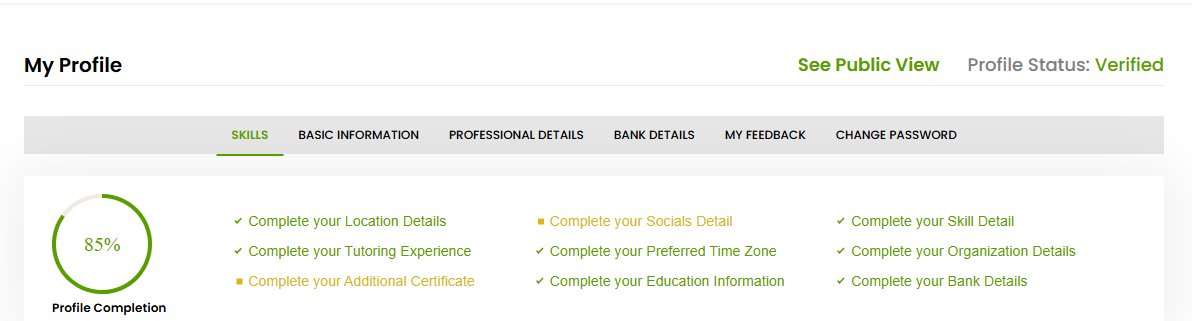
Start by filling out your profile fully — your headline, experience, skills, and the subjects you teach. This is what learners see first, and a complete profile is the foundation for getting discovered. See the Onboarding and Profile & Verification sections for guidance.
2. Complete verification
Work through the verification steps so learners can see you’re a verified tutor. This builds trust and is an important gate before you start receiving students.
3. Set your pricing
Decide how you’ll charge for your training and set it up so learners know what to expect. The Pricing & Discounts section explains your options, including milestones and discounts.
4. Create your first offering
Get something live that learners can engage with: offer a demo, create a live or video course, or start responding to training jobs that match your skills. Pick whichever route suits your strengths to begin attracting learners.
5. Set up payouts
Add your payout method so your earnings can reach you without delay once you start teaching. The Earnings & Payouts section covers the available options.
FAQs
What should I do first?
Complete your profile and verification. Everything else — pricing, offerings, and payouts — builds on having a trusted, discoverable profile.
Do I have to set up everything before I can teach?
You’ll need a profile, verification, pricing, and a payout method to operate fully. Many tutors set these up in their first sitting and refine them as they go.
Where do I get help for each step?
Each step has a dedicated help section — Onboarding, Profile & Verification, Pricing & Discounts, Demos, Live Courses, Video Courses, Training Jobs, and Earnings & Payouts. Use them for the detailed how-to.
Related articles
- Getting started as a tutor on Tutorac: an overview
- What you need to get started as a Tutorac tutor
- How tutoring on Tutorac works: from sign-up to your first student
Last updated: 8 June 2026