Once your ads are live, My Public Ads is where you keep them organised and track how they’re doing. Here’s what’s available.
In this article
My Public Ads
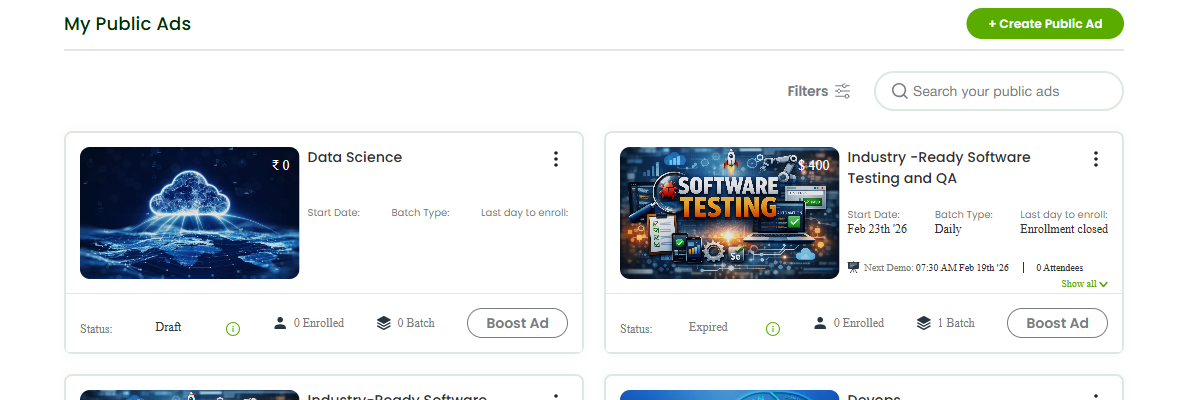
My Public Ads lists the ads you’ve created. From here you can review them and create new ones with + Create Public Ad.
Filtering your ads
Use the Filters on the page to narrow the list when you have several ads, so you can quickly find the one you want to review.
Ad Posting Reports
For how your ads are performing, open Ad Posting Reports from your dashboard. This is where you review your ad activity rather than on the ad list itself.
Keeping ads effective
- Keep the course behind your ad up to date.
- Make sure the intro video is clear and current.
- Review your reports periodically and adjust.
FAQs
Where do I see all my ads?
Under My Public Ads. Use Filters to narrow the list.
Where can I check ad performance?
In Ad Posting Reports from your dashboard.
How do I add another ad?
Use + Create Public Ad. See “Creating a Public Ad.”
Related articles
- Creating a Public Ad
- What are Public Ads and Training Contracts?
- Training Contracts for specific opportunities
Last updated: 8 June 2026