Your live course follows a curriculum — the plan of topics you’ll work through — and is paid for in milestones tied to your progress. This article explains how to follow your curriculum and how it connects to milestones.
In this article
Following your curriculum
Open your batch and go to the Curriculum tab. It lays out the topics and structure your tutor has planned for the course, so you can see what’s been covered and what’s coming up. Use it to prepare for sessions and to revise between classes.
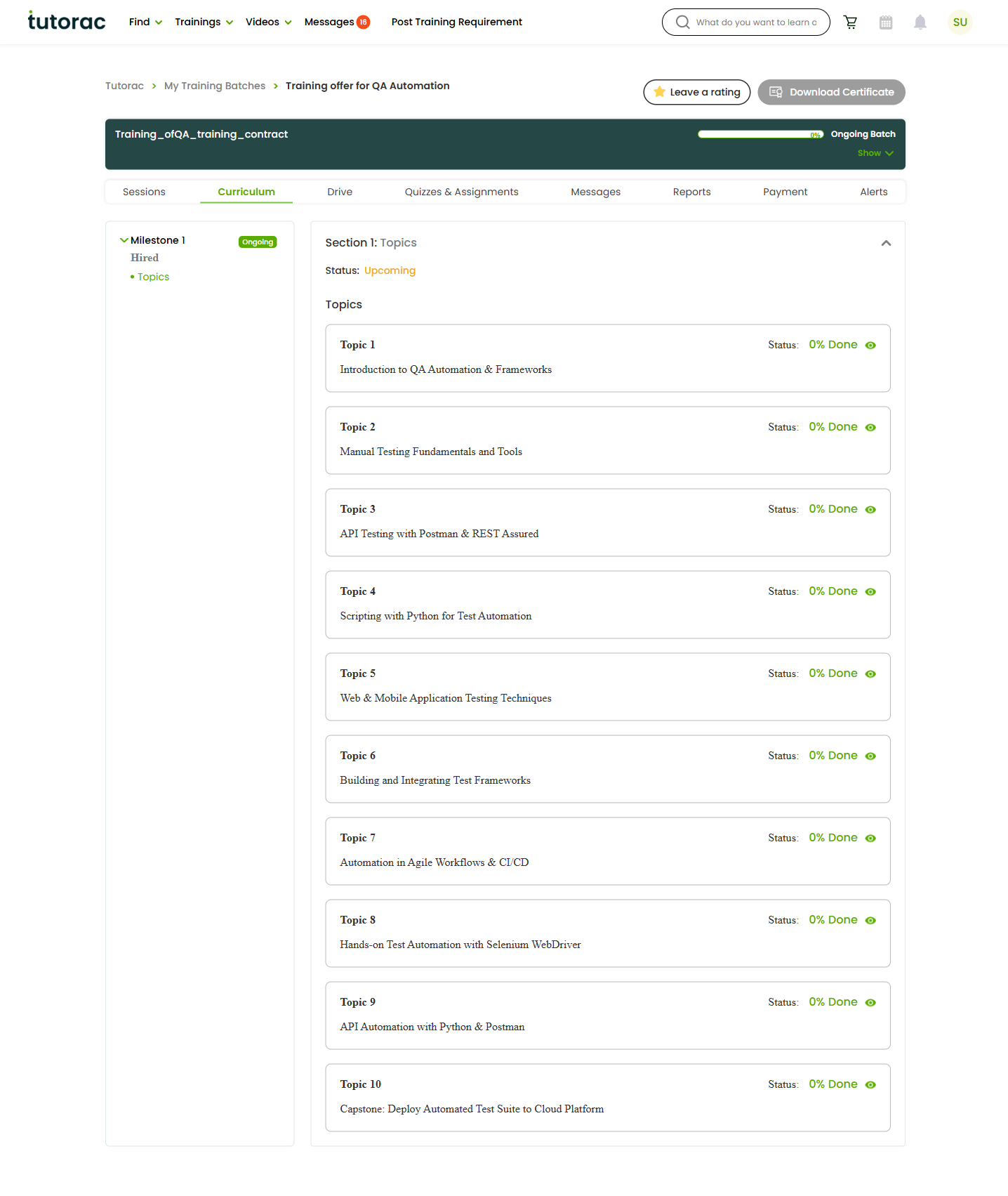
If the Curriculum tab is empty, your tutor may not have added it yet — it often appears after your first session or planning discussion.
How milestones fit in
Live courses are paid in milestones — agreed portions of the training that are funded up front and released as each portion is completed. The curriculum is what you learn; milestones are how that learning is paid for, step by step. You manage milestones and invoices on the Payment tab of your batch.
For the full detail on how milestones work and how to release a payment, see the dedicated guides below.
Keeping track of progress
Between the Curriculum tab (what you’re covering), the Reports tab (how you’re tracking), and the Payment tab (milestone status), you always have a clear picture of where you are in the course.
FAQs
Can I change the curriculum?
The curriculum is set by your tutor, but it’s meant to serve your goals. If you’d like to adjust the focus or pace, raise it with your tutor through the Messages tab.
Do I have to release a milestone before the next topic?
Milestones are released as agreed portions of work are completed. The exact arrangement depends on the milestones you set up when enrolling. See the milestone guides above for details.
What if the course is going faster or slower than planned?
Talk to your tutor. Pace is flexible in one-to-one training, and your tutor can adjust the plan. The Reports tab helps you both see how things are tracking.
Related articles
- Your Tutorac training batch dashboard explained
- Understanding milestones on Tutorac
- Tracking your progress: reports and alerts
Last updated: 3 June 2026